
Products / Placement preparation
HumblePrep
Placement preparation portal for engineering institutes
- Built by Humble Solutions
- Placement preparation
Product and client work
HumblePrep runs at Thapar Institute of Engineering & Technology as TietPrep, built for its placement cell, where 3,195 students have registered.
See how we built it01What it does
What HumblePrep does
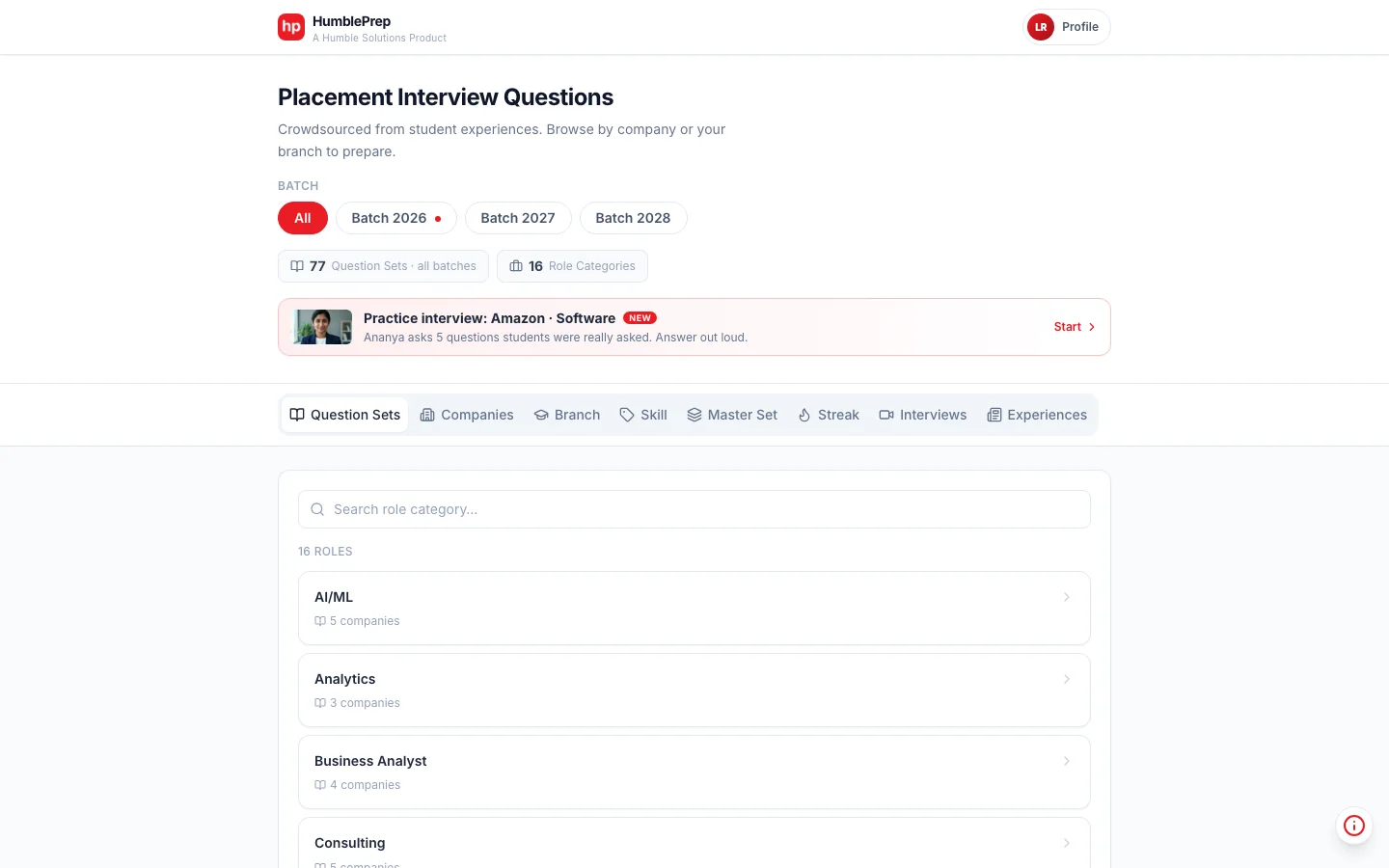
Every placement season, an institute's best preparation material leaves with the students who used it. HumblePrep keeps it. Students share what they were asked through a short form; the portal tidies it, groups it by company and role, and gives it back to juniors as a question bank they can search.
The placement cell gets one admin console for companies, roles, eligibility, job descriptions, offers and engagement. Nothing reaches students until an admin has reviewed and published it.
Access is limited to the institute's own students: a verified institute email, and only for people the placement cell has put on the roster.
Who it is for
- Engineering institutes and universities with a placement cell
- Training and placement officers who want one system instead of sheets, drives and group chats
- Students preparing company by company
02Features
What is in the box
Question sets by company and role
Technical, HR and additional-round questions that several students reported, with the topics they were tested on, combined across batches.
Four ways into the same data
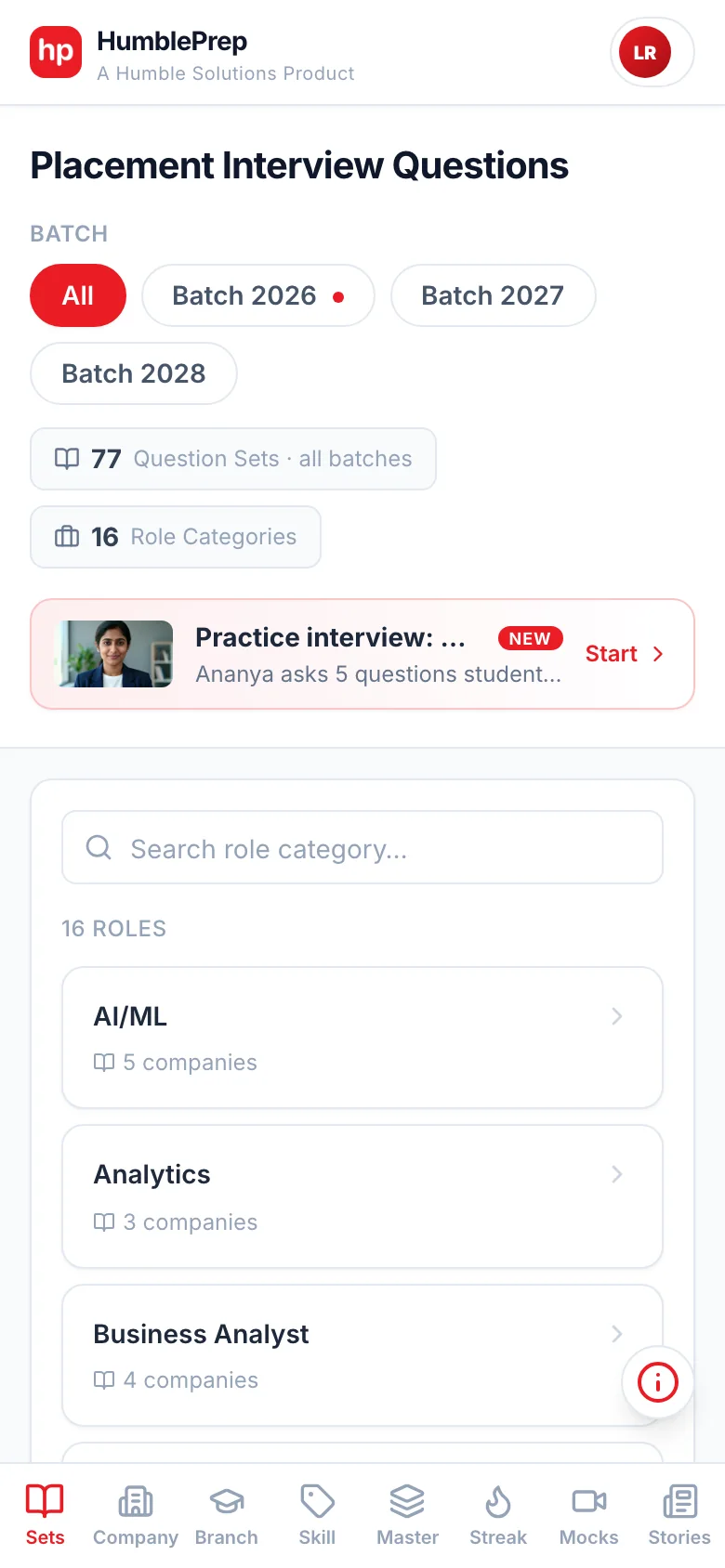
Browse by company, filter to your own branch, work back from a skill, or take the role-wise master set.
Interview experiences
First-person accounts of one student's process at one company: each round, the questions, the outcome and advice for juniors.
Eligibility by batch
Which branches and job titles a company recruited for, kept per batch because criteria change from year to year.
Job descriptions
The official job description for a company, role and batch, readable in the browser.
Practice interview
A mock interviewer asks questions that students were really asked. Answers are spoken, recorded and checked by AI into a report for the student and the placement cell.
Review before publishing
An AI pass tidies spelling and phrasing without changing the meaning and keeps the original beside it. An admin reads, edits and publishes; nothing goes live on its own.
Placement cell console
Students, companies, roles, branches, questions, responses, experiences and offers in one place, with exports to Excel.
Engagement statistics
How many students used the portal each day, by branch and batch, over any period.
03Screens
HumblePrep on screen
Screens from the live demo, which runs on invented data.
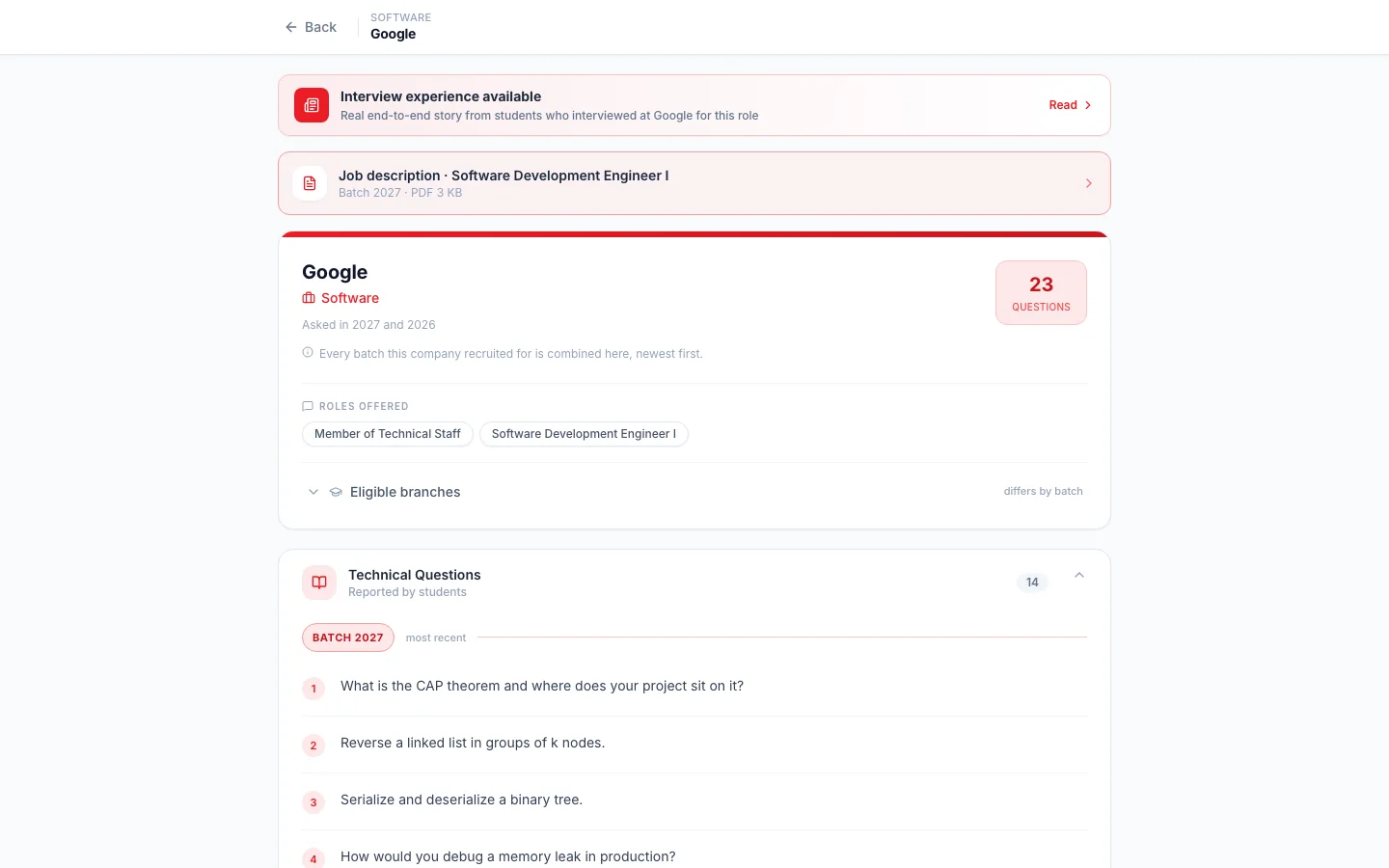
A question set: what students were asked at one company for one role, newest batch first, with the job description and eligibility beside it.
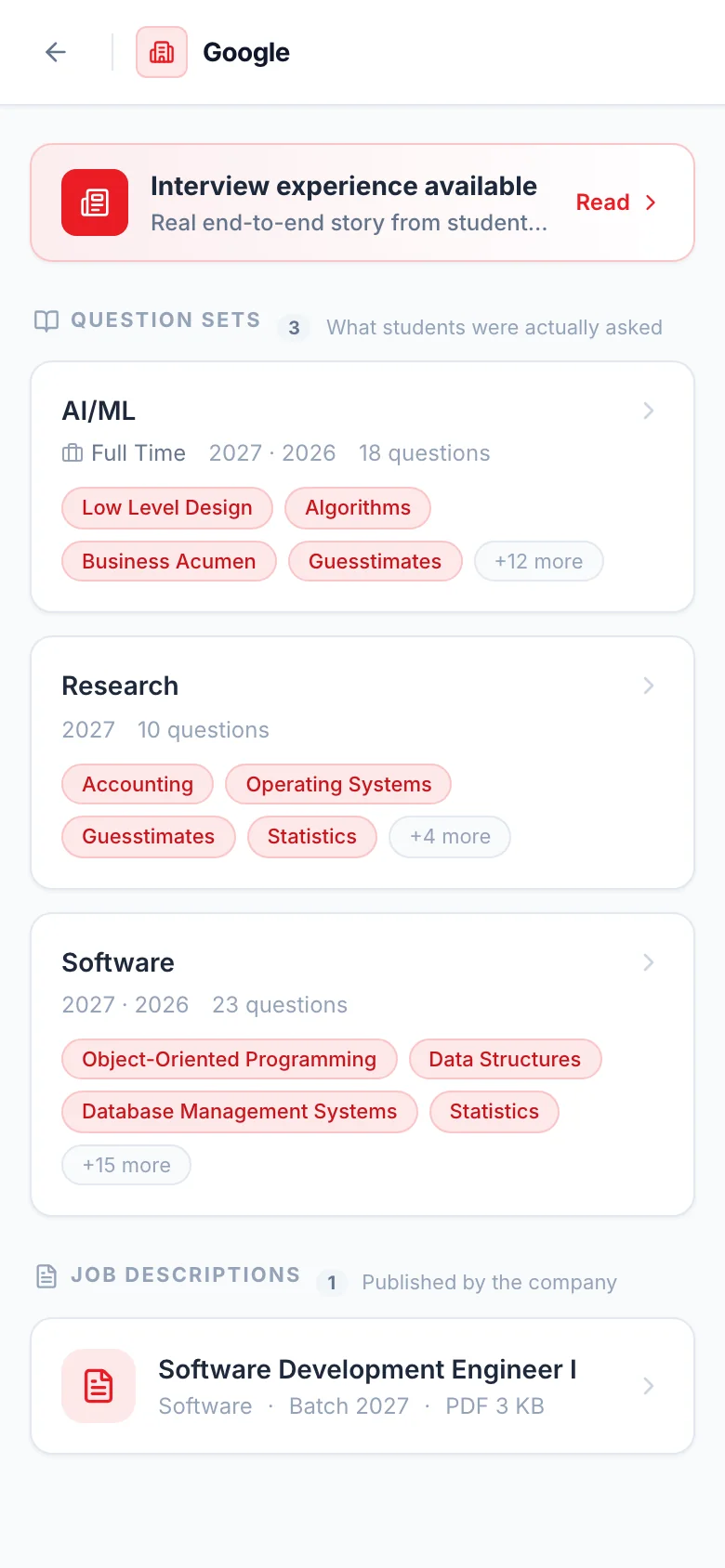
A company page on a phone: its question sets by role and its job descriptions.
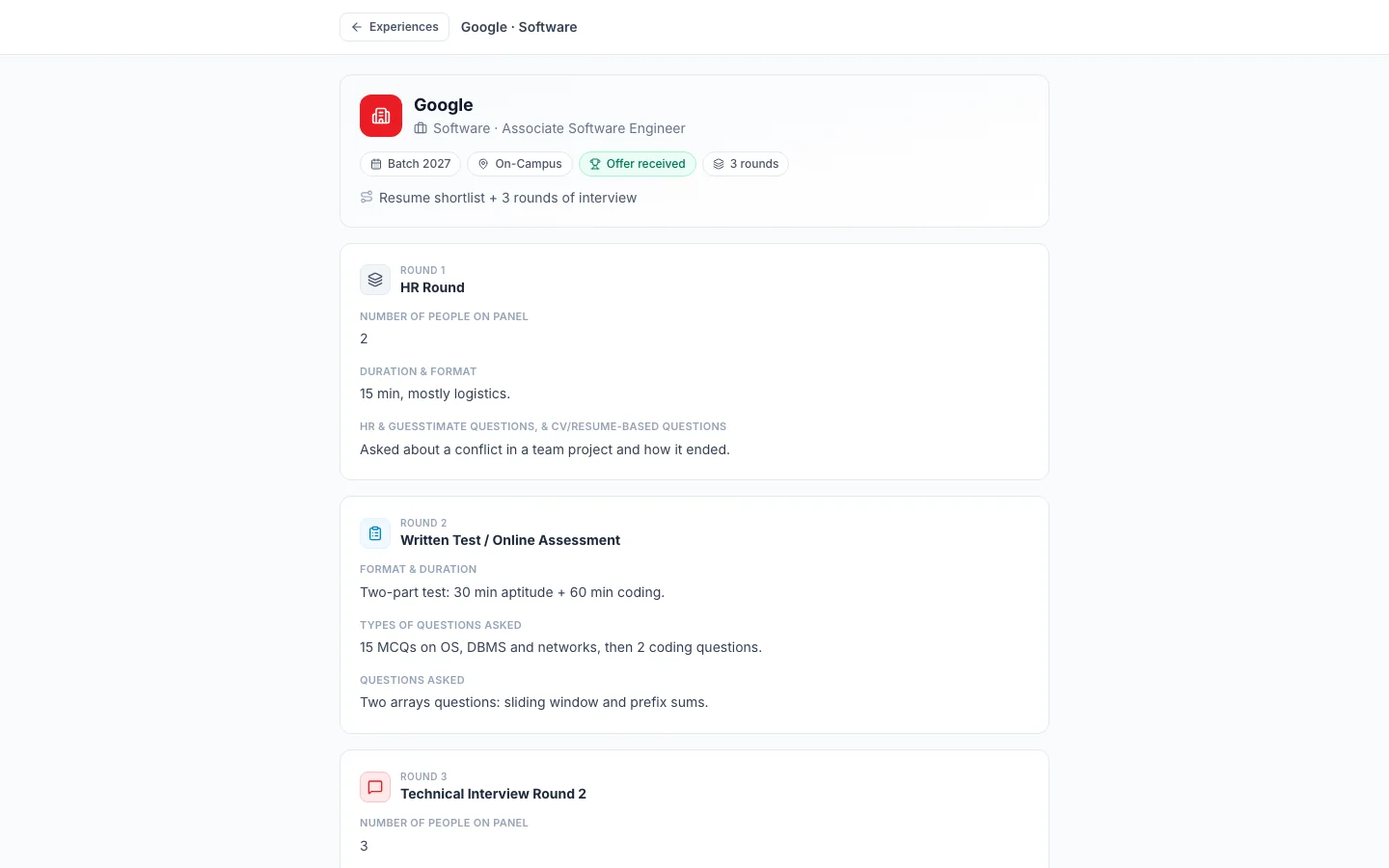
An interview experience: every round with its format, duration and questions.
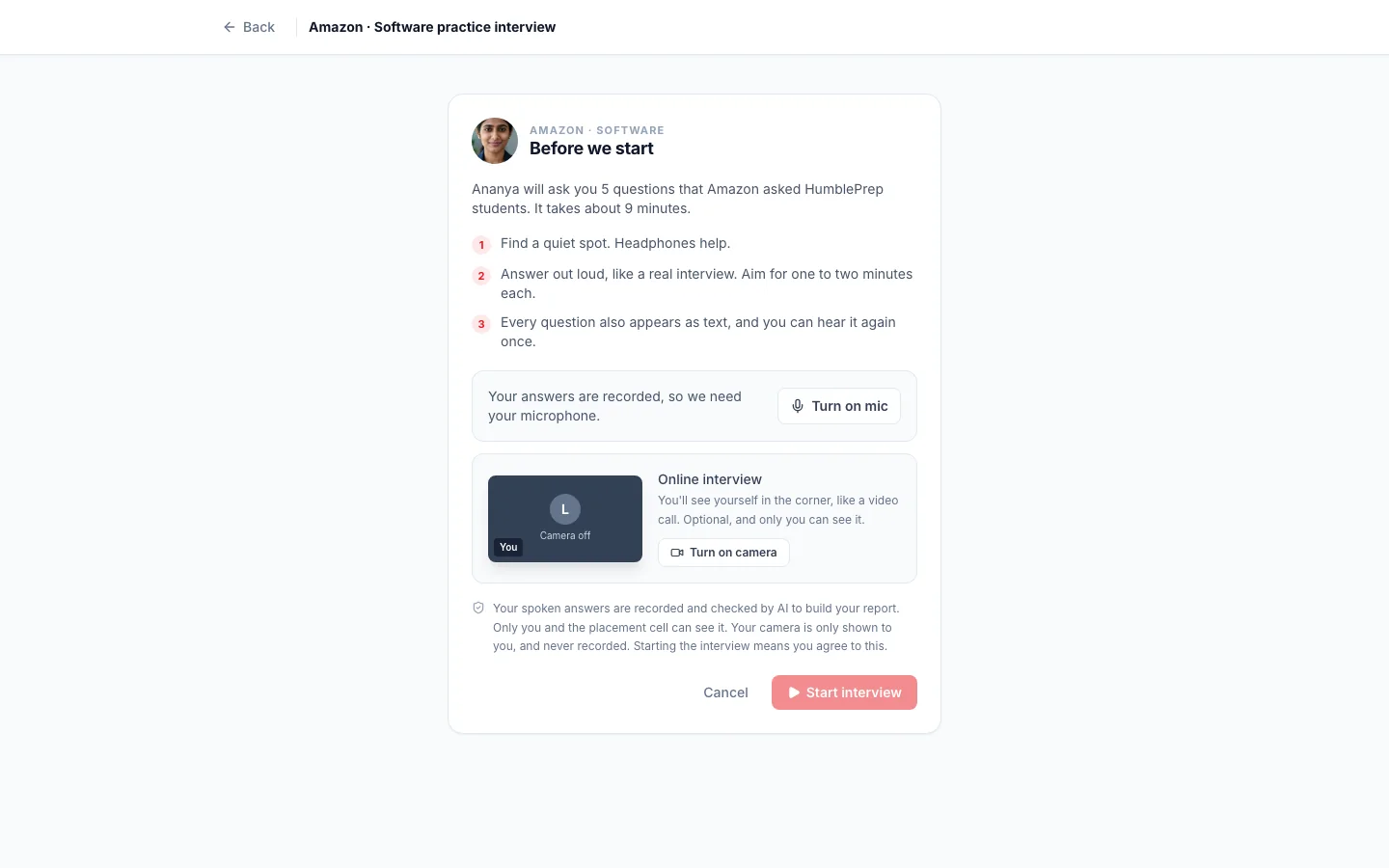
Before a practice interview: a microphone check, an optional camera view and what happens to the recording.
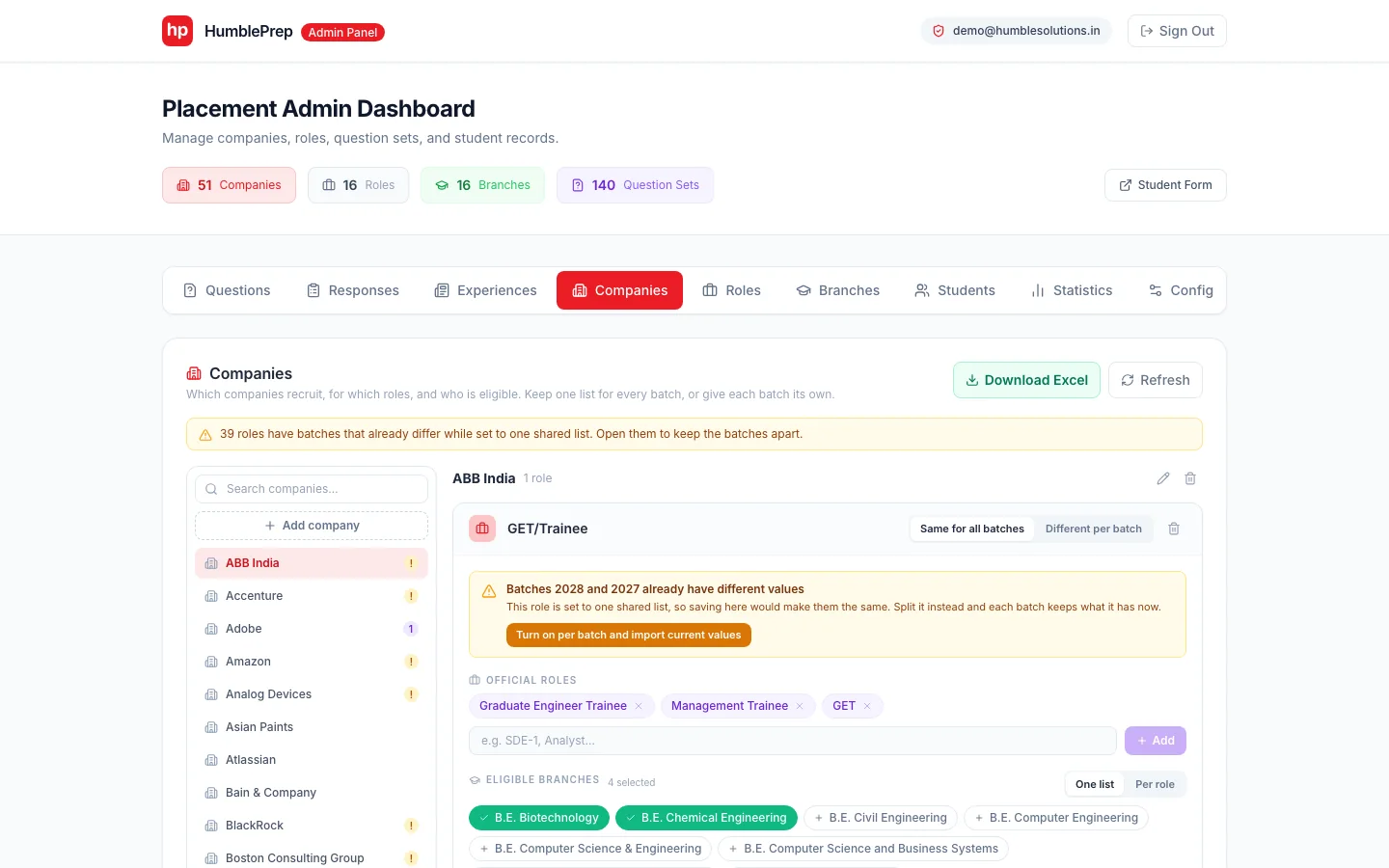
The placement cell sets which roles and branches a company recruits for, shared across batches or per batch.
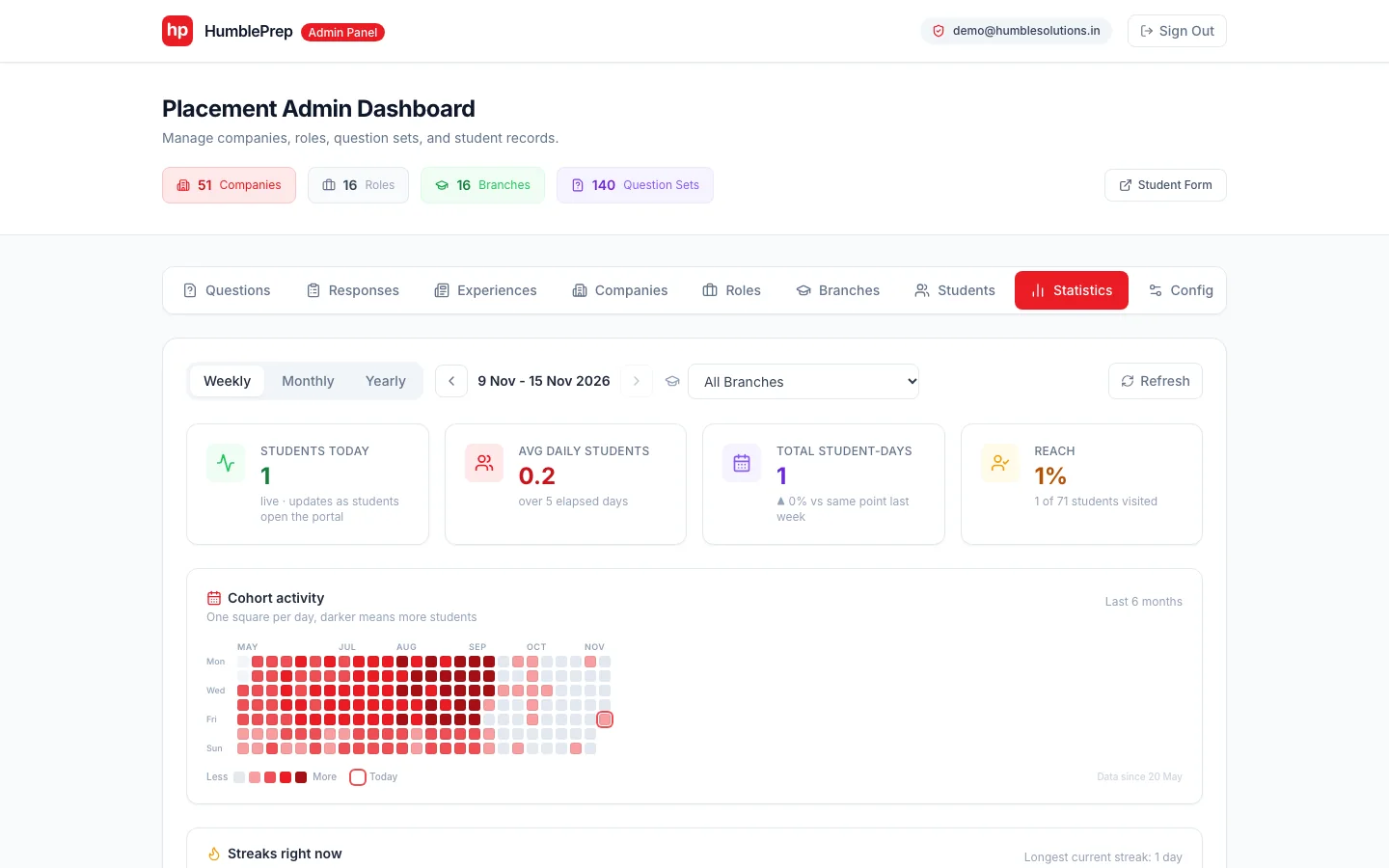
Engagement for the placement cell: students per day and activity over the last six months.
Pricing
Talk to us about pricing.
Setup and pricing depend on student numbers, branches and batches, so we discuss them directly.
04FAQ
Questions about HumblePrep
Only students on the institute's own email domain whom the placement cell has added to the roster, once they have confirmed their address. Admins have a separate console.
From students, through a short form they can fill in on a phone straight after an interview. Submissions for the same company, role and batch are pooled, so a set reflects what many students reported.
No. Every submission is reviewed by an admin, who can edit it, publish it or reject it.
Yes. The live demo runs on invented data and signs you in as a student or as an admin with one click.
Talk to us. It is set up for your institute with your email domain, branches and roster; setup and pricing are discussed directly.
Start here
Want HumblePrep for your institute?
Tell us about your student numbers, branches and batches and we will come back with fit, setup and pricing.